

Xiaomi Mi Band 4 Review: A Budget Fitness Tracker for Everyday Use
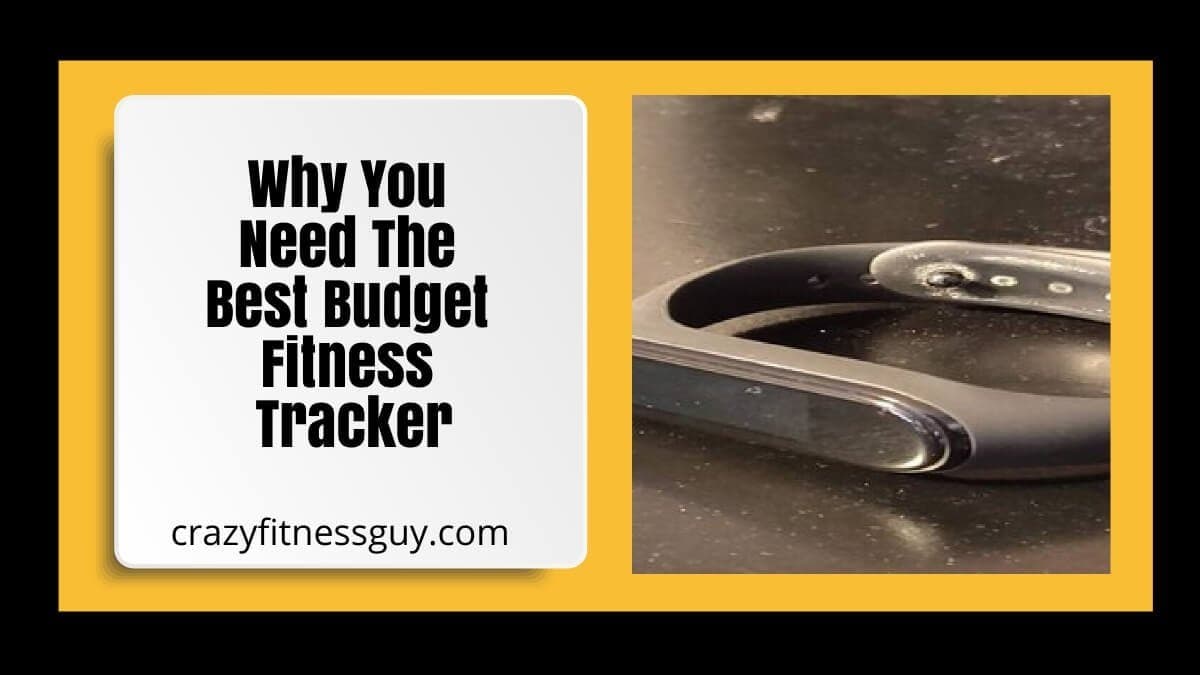
Xiaomi Mi Band 4 Review: A Budget Fitness Tracker for Everyday Use
Quick take: The Xiaomi Mi Band 4 was a budget-friendly fitness tracker that I used for everyday step tracking, sleep estimates, notifications, alarms, timers, and basic activity information. This is an experience-based review of an older model, so check current availability, software support, compatibility, pricing, and newer alternatives before buying.
Affiliate disclosure: This article may contain affiliate links. If you buy through a link, CrazyFitnessGuy may earn a commission at no extra cost to you. Features, app support, pricing, and product availability can change.
Why I chose the Mi Band 4
I had used Fitbit and Garmin devices before trying the Mi Band 4. I liked Fitbit’s software, while I appreciated the battery life and hardware approach of some Garmin trackers. My earlier devices eventually had battery or maintenance frustrations, so I wanted a simpler, more affordable tracker for everyday use.
The Mi Band 4 appealed to me because it covered the basics without the price of a smartwatch. It became a useful tool for noticing patterns, not a medical device or a perfect measure of every step, calorie, workout, or sleep stage.
Features I used most
- Step tracking and daily activity summaries
- Sleep estimates and bedtime reminders
- Heart-rate readings, depending on settings and use
- Workout modes and activity tracking
- Phone notifications for texts and calls
- Weather, alarms, timers, stopwatch, and music controls
- Do Not Disturb settings for fewer overnight interruptions
The biggest advantage was convenience: I could glance at the band for basic information instead of constantly opening my phone. The device felt more like a simple everyday companion than a full smartwatch.
What I liked
Battery life
Battery life was one of the reasons I preferred this type of tracker. Actual battery life depends on settings such as screen brightness, notifications, workout tracking, and heart-rate frequency, but I found that the device did not need constant charging.
Sleep estimates
I found the sleep record useful for noticing general patterns, such as when I went to bed, woke up, or had a short interruption. However, wearable sleep data is an estimate. It should not be used to diagnose sleep conditions or replace medical advice.
Comfort for overnight wear
The band was light enough for me to wear at night, and Do Not Disturb helped reduce unwanted interruptions. Comfort is personal, so it is worth checking the current strap options and return policy before purchasing any wearable.
What to keep in mind
Fitness trackers are not perfectly accurate
Consumer trackers can be useful for trends, but their step counts, calorie estimates, heart-rate readings, workout detection, and sleep data can differ from medical or laboratory measurements. Wear it consistently, use it to observe patterns, and avoid making health decisions from a single metric.
Heart-rate readings are not medical monitoring
Wrist-based heart-rate features can be affected by movement, fit, skin contact, temperature, and activity type. If you have symptoms such as chest pain, fainting, severe shortness of breath, palpitations, or concerns about heart rate, seek medical care rather than relying on a fitness tracker.
It has limitations
The Mi Band 4 was not a full smartwatch. For example, it could display call notifications but did not function as a device for taking phone calls. The screen could also get scratched, so a screen protector or careful use may be worthwhile. Its app experience and compatibility may also feel dated compared with newer devices.
How I used it without obsessing over numbers
A tracker works best when it supports your routine rather than creating pressure. I used it to notice movement, set reminders, and see general sleep patterns. If a number did not look right, I treated it as a rough data point—not a judgment about my effort or health.
Try choosing one goal at a time, such as taking a short walk, using an alarm for a consistent bedtime, or tracking workouts you already enjoy. The best tracker is the one that makes your routine easier to maintain.
What to check before buying a budget tracker
- Current price, model availability, warranty, and return policy
- Compatibility with your phone and current app support
- Battery-life expectations based on the settings you will use
- Comfort, display size, controls, and strap options
- The metrics you actually care about, such as steps, sleep estimates, GPS, notifications, or workout modes
- Privacy settings and how the companion app handles your data
My bottom line
For my routine, the Xiaomi Mi Band 4 was a practical, affordable way to track everyday movement and use helpful features such as alarms, notifications, and sleep estimates. It is best viewed as a simple activity tool, not a medical device or a guarantee of accuracy. Because it is an older product, compare current models before deciding whether it is still the best fit for you.
Related CrazyFitnessGuy resources
- Explore workout apps for building a movement routine
- Find approachable tips for getting active
- Learn about the connection between mental and physical health
- Browse health and fitness articles
- Browse The CrazyFitnessGuy® Show episodes
Health disclaimer: Fitness trackers provide consumer-level estimates and are not medical devices. For medical concerns or individualized exercise guidance, contact a qualified healthcare professional.

Founder
Jimmy Clare is a Professional Keynote Speaker, Podcaster, Live Stream Host, and Autism Advocate who founded CrazyFitnessGuy® in 2017 to share healthy living through autistic eyes. He combines his lived experience with autism and his own health journey to encourage others to embrace their uniqueness and build sustainable habits.

How Group Fitness Supports Work-Life Balance

Best Social Media Management Tools for Scheduling, AI, and Analytics
Sponsored By



Follow Us
Follow Us On Follow.it

Follow on Deepstash
Follow Jimmy On LikeWise
Follow Jimmy On GoodReads
Follow Us On Flipboard

Follow Us On Blogarama
Blogarama - Blog Directory Blogs Directory

Trusted Member Of Alignable

Recent Episodes
- Sensory Friendly Routines for Calmer Days | Art & Autism Mental Health (Trailer)
- The CrazyFitnessGuy Show Trailer: Realistic Fitness for Autistic & Neurodivergent Adults
- From Hamster Wheel to Purposeful Living: Adaptive Movement Autism and Realistic Fitness Advice for Everyday Routines
- Living Purposefully: Or Just Paying Off Student Loans? Realistic Fitness, Sensory-Friendly Routines, and Adaptive Movement
- Breathwork in Bed: Sleeping Better and Joking Harder with Tim Thomas
- Awesomeness Starts Within | Judgment-Free Growth for Neurodivergent Living
- Sensory-Smart Coaching | Why Generic Fitness Plans Fail Autistic Adults
- Neurodivergent Fitness: Adaptable Strategies Without the Burnout Trap
- Fitness for Every Body: Autism-Friendly Tips with Sherry Shaban
- See all →
Support On